comprar-app-stellatv
fire stick

INSTALL STELLA TV ON FIRE TV STICK

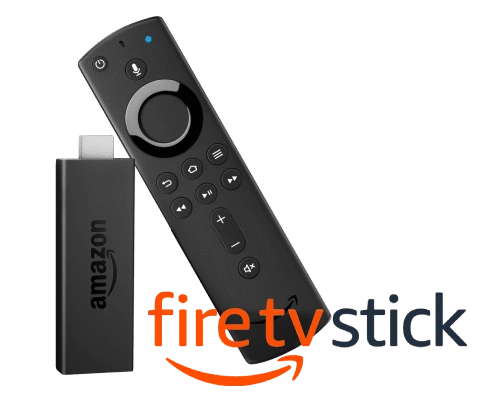
Install Stella TV on your Amazon Fire TV Stick quickly and easily. The app is compatible with major Fire TV devices, including Fire TV Stick Lite, Fire TV Stick, Fire TV Stick 4K, Fire TV Stick 4K Max, and Fire TV Cube. Follow the installation instructions to set up the app and start enjoying the service.

REQUEST DOWNLOAD CODE

HOW TO INSTALL STELLA TV ON FIRE TV STICK

From the home screen of your Amazon Fire TV Stick, select Search and type Downloader. Select the Downloader app from the search results, download it, and install it on your device.
Once the Downloader app is installed, open it and enter the Stella TV download code or link that we will provide. Select Go, wait for the download to finish, and then select install. Once the installation is complete, open Stella TV to continue with the setup.

stellatv-tv-precios

StellaTV for Fire TV Stick

Enjoy Stella TV on your Fire TV Stick and easily access channels, movies, series, and other content on your TV. Choose the plan that best suits your needs and enjoy the service on up to 3 or 4 screens simultaneously, depending on your plan.

BUY Stella TV
img 01

FAQ

FREQUENTLY ASKED QUESTIONS

Find answers to the most frequently asked questions about installing and using Stella TV on Amazon Fire TV Stick devices.

preguntas
How do I install Stella TV on Fire TV Stick?

There are two ways to install Stella TV on an Amazon Fire TV Stick: using the Downloader app or via Send Files to TV. Both options are effective and safe, but in this case, the video above shows you how to do it with Downloader, step by step, simply and quickly.

Using Downloader is ideal for those looking for a straightforward process: you simply need to copy the APK download link, open the Downloader app on your Fire TV Stick, and follow the on-screen instructions. Furthermore, following this procedure ensures that you install the official version and keep the app properly updated.

If you experience any issues with Stella TV, first check your Internet connection, make sure you have the latest version of the app installed, and confirm that your account or plan is active. If the problem persists, contact us for assistance. contact us for assistance..

Stella TV can be used on compatible Amazon Fire TV devices, including Fire TV Stick Lite, Fire TV Stick 4K, Fire TV Stick 4K Max, and Fire TV Cube. Compatibility may vary depending on the model, system version, and available installation options.

We recommend using a recent Fire TV Stick model for better performance and a smoother experience. Models such as the Fire TV Stick 4K and Fire TV Stick 4K Max are good options for using Stella TV.

If you can't use Downloader, you can transfer the APK file from another device using a compatible tool, such as Send Files to TV. To do this, both devices must be connected to the same Wi-Fi network. Transfer the APK file to your Fire TV Stick and continue the installation directly on the device.

You can view the available Stella TV plans on our homepage. We currently offer 1-month, 3-month, 6 + 1-month, and 12 + 2-month options. Choose the plan that best fits your needs and use the purchase option to request your account.